What happened to the Trackpoint keyboards? I see that replacement key caps are available, but I want to purchase a few more of the keyboards themselves. I find it provides far more convenient mouse control.
Thank you for your attention and for all your thoughtful questions 🙌 The AMA closed. We truly appreciate your engagement and look forward to connecting with you again soon! 🚀
We’re now planning another AMA for July—what devices are you curious about? Let us know in the comments 💬
And a special thank you to Simin Cai for taking the time to answer so many of your questions 🙏✨
They were both on sale, so I picked up one of each to try. It’ll be interesting to see if I can actually tell a difference in performance between the two.
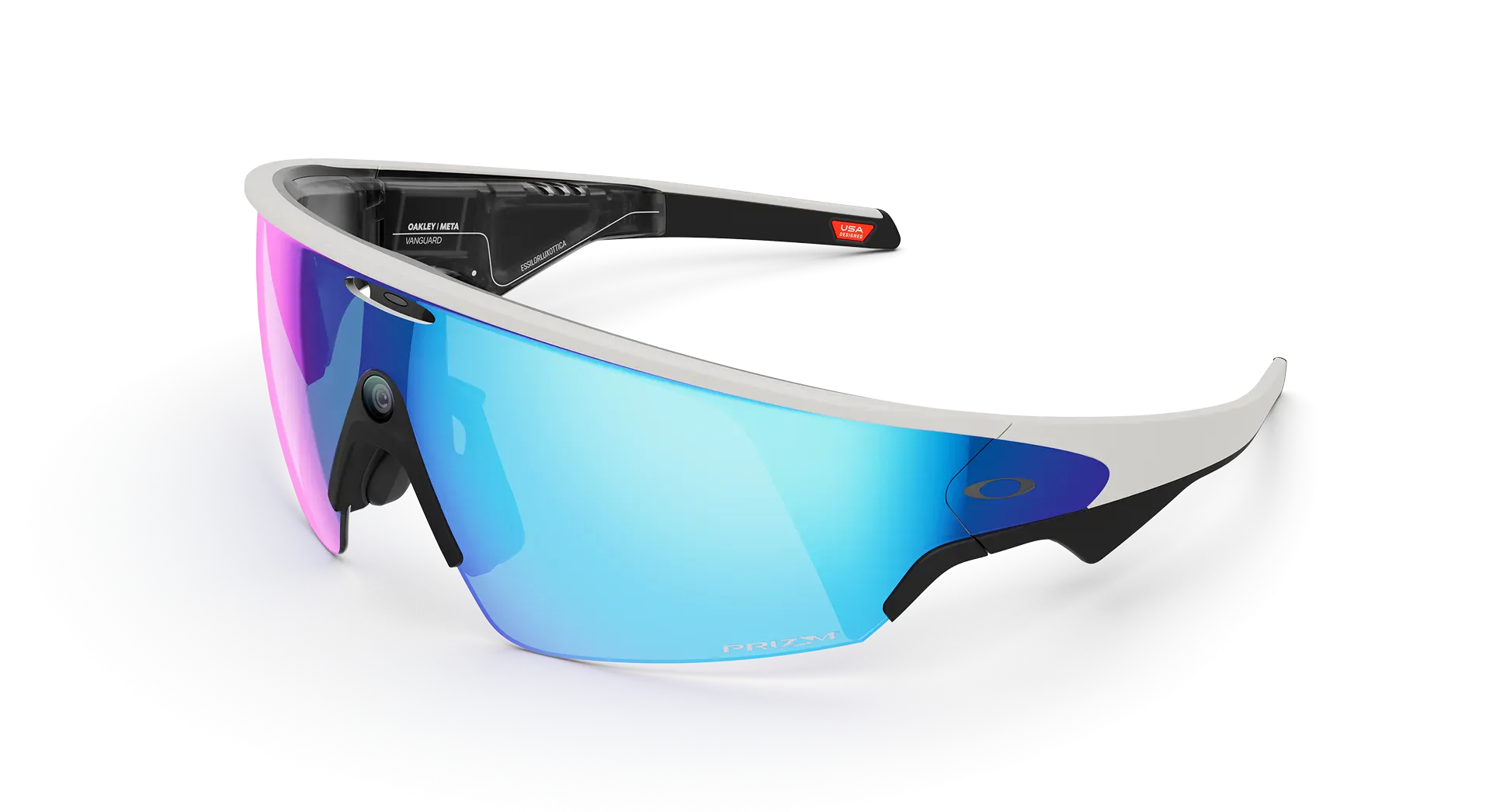
Comparison: Oakley Meta Vanguard vs Lenovo AI Glasses V1
I have invested in a pair of Meta Vanguard AR AI glasses. They are well worth the cash! Now off to find a pair of Lenovo V1. These are the Meta Vanguard below!
!
Quick Overview
Feature
Oakley Meta Vanguard
Lenovo AI Glasses V1
Primary Focus
Sports/Athletics & Content Creation
Productivity & Translation
Weight
~52g (estimated standard for sports glasses)
38g (ultra-lightweight)
Price
$499 USD
~$560 USD (3,999 CNY)
Camera
✅ 12MP ultra-wide (122° FOV)
❌ No camera
Display
❌ No display
✅ Micro-LED (2,000 nits)
Market
Global (US, Canada, UK, Europe, Australia)
China only (currently)
Detailed Feature Comparison
Camera & Content Creation
Oakley Meta Vanguard:
Features a centered, ultra-wide 12MP camera that captures 3K video from your true POV—all hands-free
Can record 1080p/30FPS video for 60 seconds by default, extendable to 3 minutes
32GB onboard storage for photos/videos
Perfect for action sports, POV content creation
Lenovo V1:
NO camera included—Lenovo deliberately removed the camera to reduce weight and address privacy concerns
Cannot capture photos or videos
Not designed for content creation
Winner: Meta Vanguard (for anyone needing visual documentation)
Display Technology
Oakley Meta Vanguard:
No heads-up display
Uses small color LEDs on the inside right side for intensity zone indicators during workouts
Information delivered via audio only
Lenovo V1:
Features a micro-LED display using resin diffraction waveguide technology with up to 2,000 nits peak brightness
Two sets of micro-LED displays that shine green text into your eyes—one in each lens, can be used monocularly or binocularly
Lenses are only 1.8mm thick with a 15×11mm eye box range for stable visuals when moving
Winner: Lenovo V1 (for visual information display)
AI Assistant & Smart Features
Oakley Meta Vanguard:
Meta AI integration—ask questions about what you're looking at by saying 'Hey Meta...'
Can set reminders, control music, ask for translations, identify objects
Photos sent to Meta's cloud for AI processing
Integrates with Strava and Garmin for athletic performance tracking
Lenovo V1:
Powered by Lenovo's Tianxi AI assistant with voice commands, real-time translation, and information queries
Features teleprompter mode designed for content creators and public speakers, controlled via smart ring accessory
AI navigation system provides real-time visual and audio guidance (Android only currently)
No visual AI (no camera means can't analyze what you're looking at)
Winner: Tie (different strengths—Meta for visual AI, Lenovo for translation/productivity)
Weight & Comfort
Oakley Meta Vanguard:
Standard sports sunglasses weight (estimated ~50-55g)
Built for athletes with sweat, dust, and water resistance (IP67 rating)
Designed to fit under helmets
Lenovo V1:
Ultra-lightweight at only 38 grams with 1.8mm thick lenses
About 30g lighter than Meta Ray-Ban Display glasses and 10-14g lighter than Ray-Ban Meta AI glasses
Designed to reduce pressure on nose and ears for extended daily use
Winner: Lenovo V1 (significantly lighter for all-day wear)
Battery Life
Oakley Meta Vanguard:
Up to 6 hours of continuous audio playback, 9 hours of typical use
36 hours total with charging case
Battery varies based on feature usage
Lenovo V1:
Up to 4 hours in teleprompter mode, 8-10 hours in translation mode, 2.6 hours at maximum brightness/volume
250 hours standby time, 40-minute fast charging
167mAh battery
Winner: Meta Vanguard (better for active use, though Lenovo wins on standby)
Audio
Oakley Meta Vanguard:
Powerful open-ear speakers built into temples, designed to perform in windy conditions up to 30mph
Sound quality comparable to regular running earbuds with bone-conduction-style open speakers
Integrates with Spotify, Apple Music, Amazon Music
Lenovo V1:
Dual-microphone and dual-speaker setup for hands-free calls and stereo audio
Touch controls on temples for managing calls and media
Bluetooth 5.4 connectivity
Winner: Meta Vanguard (optimized for sports/outdoor conditions)
Use Cases
Oakley Meta Vanguard - Best For:
Athletes and outdoor enthusiasts
POV content creators (cycling, running, hiking)
Recording action sports hands-free to replace GoPros in many scenarios
Fitness tracking with Garmin/Strava integration
People who need visual AI assistance
Lenovo V1 - Best For:
Business travelers needing real-time translation
Presenters and public speakers (teleprompter mode)
Those seeking lightweight glasses for all-day information display without cameras
Privacy-conscious users (no camera)
Productivity-focused tasks
Privacy Considerations
Oakley Meta Vanguard:
Has camera—raises privacy concerns in some settings
Photos processed with AI are stored and used to improve Meta products and train AI with help from reviewers
LED indicator when recording
Lenovo V1:
No camera included, partly to address privacy concerns about discreetly recording surroundings
Data processed by Lenovo's Tianxi AI (less information available about data practices)
Winner: Lenovo V1 (better for privacy-sensitive environments)
Durability
Oakley Meta Vanguard:
IP67 rating: sweat, dust, and water resistant for intense activities
Built for extreme conditions and athletic use
Industrial-grade construction
Lenovo V1:
Not specified for sports/water resistance
Designed for everyday office/travel use
Lightweight construction prioritized over ruggedness
Winner: Meta Vanguard (built for harsh conditions)
The Bottom Line
Choose Oakley Meta Vanguard if you:
Need hands-free POV video/photo capture
Are an athlete or outdoor enthusiast
Want Garmin/Strava fitness integration
Need rugged, weatherproof glasses
Want Meta AI with visual recognition
Choose Lenovo V1 if you:
Prioritize ultra-lightweight design for all-day comfort
Need real-time translation for travel/business
Want a heads-up display for notifications/navigation
Are a presenter/speaker needing teleprompter features
Value privacy (no camera)
Work primarily in office/indoor environments
Availability Note
Meta Vanguard: Available globally now in US, Canada, UK, Europe, Australia
Lenovo V1: Currently China-only release, available on Lenovo.com starting November 9, 2025, with no confirmed global launch date
These are fundamentally different products targeting different users—the Meta Vanguard is sports/content-focused with a camera but no display, while the Lenovo V1 is productivity-focused with a display but no camera.
Looks amazing! My Legion 7i only has 16GB, but I'm thinking about upgrading that soon (when I have the time). I'll definitely read/watch your review! 💖
Just wanted to share something awesome with the community — I was lucky enough to win an incredible monitor from Lenovo, and it's now the centerpiece of my setup!
The Lenovo ThinkVision P49w-30 is an absolute life-changer. With its massive ultra-wide display, it's perfect for multitasking and boosting productivity. Honestly, I can't imagine a better monitor for work and creative tasks.
Big thanks to Lenovo for this amazing gift — it truly leveled up my workspace!
I run a i9 13900k and run Linux, I use it to run VM's to browse internet, build Android operating systems, video editing, streaming and occasionally gaming.
Before comparing numbers, it's important to understand these are completely different chip architectures:
Intel Core Ultra 9/i9 and AMD Ryzen 9 are x86 chips — the traditional architecture that Windows and virtually all legacy software were built for. They run everything natively, no questions asked.
Snapdragon X2 Elite is an ARM chip — the same architecture family used in smartphones and Apple Silicon Macs. Windows on ARM has improved massively, but compatibility and gaming support are still areas to watch.
Raw Performance Benchmarks
Single-Core (Geekbench 6.5):
The Snapdragon X2 Elite Extreme scored roughly 24% ahead of Intel's Core Ultra X9 388H in single-core performance. To put real numbers to that: the X2 Elite Extreme scores around 4,080, compared to Intel Core Ultra 9 285H at 3,026 and AMD Ryzen AI 9 HX 370 at 2,881.
Multi-Core (Geekbench 6.5):
The X2 Elite Extreme delivered a 23,449 multi-core result — double that of the Intel Core Ultra 9 288V at 11,306, with the Core Ultra 9 285H as the closest x86 competitor at 17,680.
However, there's an important caveat. Only high-end HX processors like the Core Ultra 9 275HX or the Ryzen 9 9955HX deliver even more multi-core performance than the Snapdragon — but at much higher power consumption. The flagship gaming-class chips can still beat Snapdragon in raw throughput when plugged in and running hot.
Efficiency — Where Snapdragon Dominates
This is Snapdragon's biggest real-world advantage. Qualcomm claims the X2 Elite Extreme is up to 44% faster in single-core performance at the same power as competitors, and to match its performance, competing chips require up to 144% higher power.
The practical result: Tom's Hardware measured nearly 20 hours of display-on battery life on a Snapdragon X2 Elite laptop in standardized testing. No Intel Core Ultra 9 or Ryzen 9 machine comes anywhere near that on battery. A Legion Pro 5i with Core Ultra 9 275HX typically delivers 4–6 hours under real use — a massive difference.
AI Performance (NPU)
Qualcomm's Hexagon NPU delivers up to 80 TOPS — 1.95x faster than Intel's Lunar Lake NPU at 48 TOPS, and 2.38x faster than Ryzen AI 300 series at 50 TOPS. For Copilot+ PC features and on-device AI workloads, Snapdragon is significantly ahead here.
Gaming — x86 Still Wins
This is where the Ryzen 9 and Core Ultra 9 HX chips reclaim the lead, especially paired with dedicated GPUs. In Cyberpunk 2077 testing, Snapdragon X2 Elite Extreme posted 40 FPS average, above the Ryzen AI 9 HX 370 at 31.4 FPS and Core Ultra 9 288V at 34.8 FPS — but that's integrated graphics only and a narrow margin. Add a discrete RTX 5070 or 5080 to a Core Ultra 9 or Ryzen 9 HX machine, and there's no competition — Snapdragon has no discrete GPU option.
The Big Comparison Table
Category
Core Ultra 9 / i9 HX
Ryzen 9 HX
Snapdragon X2 Elite
Single-core speed
Good
Good
Best (+24% vs Intel)
Multi-core (peak)
Best (HX-class)
Best (HX-class)
Strong but behind HX
Battery life
4–7 hrs
4–7 hrs
15–20 hrs
Gaming (dGPU)
Best
Best
Not applicable
Gaming (iGPU)
Good
Very good
Improving, but behind
AI / NPU performance
48–50 TOPS
50 TOPS
80 TOPS
Software compatibility
Universal
Universal
Most apps, some gaps
Thermal / fan noise
Loud under load
Loud under load
Near silent
Upgradeable RAM
Yes (some models)
Yes (some models)
No (soldered)
Discrete GPU support
Yes
Yes
No
Price range
$1,499–$3,500+
$1,499–$3,000+
$1,200–$2,000
Bottom Line — Which Should You Choose?
Go with Core Ultra 9 or Ryzen 9 if:
You game, do 3D rendering, video production with heavy GPU workloads
You need to run legacy or specialized software without any compatibility questions
You need a discrete GPU
You're plugged in most of the time
Go with Snapdragon X2 Elite if:
You travel constantly, and battery life is critical
Your workflow is Office 365, web, email, and mainstream creative tools
You care about silent, fanless operation
AI-accelerated features matter to your daily work
You don't need a discrete GPU
For the Lenovo machines we've been discussing specifically, Lenovo's Yoga Slim 7x models featuring Snapdragon X2 Elite claim up to 29 hours of battery life — which makes them compelling travel machines — while the Legion Pro series with Core Ultra 9 or Ryzen 9 HX remains the right call for performance-first desktop-replacement use. They're genuinely different tools for different jobs. 👍
Currently using the Sculpt. Anyone have experience with both of these keyboards? Wondering if the slope is steeper or roughly the same. I'd appreciate any comparative info!
Thanks for the in depth comparison! I really do feel that the Sculpt has been a wrist saver for me using the angle that it does. I'll probably hold off until I can at least try out the Go in person.
Great comparison to dig into! Here's what the specs reveal:
Lenovo Go Wireless Split Keyboard:
11° vertical tenting, 13° splay angle, and a detachable 4° negative tilt riser
Treated cork palm rest
Microsoft Sculpt:
The Microsoft ergonomic keyboard line (which includes the Sculpt) generally features a tent/gable angle of 20–30° — and Microsoft doesn't publish the Sculpt's exact degree, but its dome is widely considered more pronounced than most competitors
Fixed tenting with no adjustability, plus a reverse tilt to promote a neutral wrist position
The bottom line on slope: The Lenovo Go's 11° tenting is noticeably shallower than the Sculpt's dome. If you're used to the Sculpt, the Go will feel flatter — less of that "mountain peak" center ridge. Some people find it easier to transition to, while others miss the more aggressive tenting.
A few other notable differences worth knowing:
The Lenovo Go's negative tilt riser is detachable, giving you a bit of adjustability that the Sculpt doesn't offer
The Lenovo Go is slightly smaller overall than Microsoft's ergonomic variants, and lacks a side number pad
Keys on the Go are scissor-switch with 1.6mm travel, which is a different feel from the Sculpt's membrane-style keys
So if the Sculpt's steep dome is something you rely on for wrist relief, the Go may take some adjustment. But if you've found the Sculpt's dome slightly too aggressive, the Go's gentler tenting could actually be a welcome change. I would say try both!
This is my go-to site for getting detailed information on any particular system, especially with respect to the number of drives the amount of memory it can support, and the part numbers for warranties.
Did you know there's also a PSREF app? You can get it from the Microsoft Store (for Windows), the Apple App Store, and from Google Play.
I have… 12 bluetooth devices setup with my pc, but rarely connect all of them. External keyboards, gaming controllers, portable speakers, headphones, etc. When I do get 3 or more going, I notice the bluetooth sometimes resets. Keyboard, mouse, audio go away for a moment and then come back. Is this, only 3, too many devices? Am I saturating the bluetooth airspace? How many devices do you have going at a time?
I don't know about saturating the bluetooth airspace, but the bluetooth adapter in your PC can only handle so much at once. They make USB bluetooth adapters, using one of those might help keep more devices connected to your PC with more stability.
With the miniaturization of disk storage via SSD/NVME, I've found that practically none of my customers actually need a traditional (mini)tower anymore. Since they are using their computers for basic functions (web, email, intra-company applications) and do not require graphics cards, these tiny desktops more than meet their needs!
If you don't need a separate graphics card, the Lenovo Tiny Desktops are small, quiet, and just as fast as a traditional (mini) tower! They also occupy a whole lot less space and can fit on a desktop without being a burden.
They're able to support multiple monitors via HDMI and DisplayPort connections.
Networking is available via on-board Ethernet connection as well as wireless.
As everything is smaller, the memory is SODIMM.
Naturally, they do not have a DVD - but, nowadays most systems don't and my customers have not been inconvenienced by that.
These have become the systems I most recommend to my customers.
Here's just one example of a Tiny desktop.
Can you envision something like this working for you or your customers?
I feel like the long-run development of the personal computer is mostly going to converge on smart phones that you put in different docks. This has limitations with respect to, for instance, not being able to take a phone call while the phone is in a docking station, but there are various ways to solve that. One would be by moving all phone calls to a unified communications platform by default, and then when it's docked, you just use the phone like you would a google meet or teams meet for instance. One, not a great solution, would be that you could have a separate handset as a peripheral to plug into the dock the phone was connected to. One would be the increase in wearables, so that for instance while you are out and about you would also be wearing a smart watch and monitor glasses with built in headphones and microphone, so that when you sit down and dock the phone you continue to be able to make and receive calls via the monitor glasses. And then of course, as computing gets smaller and smaller, eventually it will probably be possible to build something as powerful as a current gen smartphone into a form factor that allows modular insertion even into a smartphone chassis, at which point you dock the module, and the chassis remains usable via short range personal network like bluetooth.
The Border-Hopping Freelancer: How One Journalist Uses Her ThinkPad to Report from High-Risk Zones — Without Compromising a Byte
It’s 2 a.m. in a rented apartment on the outskirts of a city where journalists are routinely surveilled. No external logo on the laptop. No flashing lights. Just a matte-black ThinkPad X1 Carbon, lid closed, charging quietly through a USB-C port disguised inside a nondescript power bank.
But in this environment, writing a report means more than crafting a story.
Meet “Amina” (a pseudonym), an award-winning freelance journalist who covers conflict zones and authoritarian regimes. She travels with one device: her Lenovo ThinkPad. Not because it’s the lightest (though it is), but because it’s the smartest shield she owns.
That’s why, for her, a laptop isn’t just for writing — it’s her digital fortress.
🛡️ The ThinkPad in “Stealth Mode”: Built for Silence and Security
When Amina lands in a high-risk country, she doesn't immediately connect to local Wi-Fi. Instead, she:
Activates ThinkShield for Endpoint Security – Her ThinkPad runs a locked-down BIOS with UEFI password protection and boot integrity monitoring. – If someone tampers with the firmware (e.g., at a border checkpoint), she’s alerted the next time she powers on.
Uses the Physical Camera Shutter + Mic Kill Switch – The built-in shutter isn’t just for privacy — it’s operational hygiene. No remote activation is possible. – Combined with the red privacy button, she disables all sensors with a click — no software dependency.
For added location security, she disables device GPS before crossing borders, preventing location from being shared with networks. She keeps offline geotagging logs locally, allowing her to later verify movements without creating a digital trail on the device or network.
Booting from an encrypted USB with a secure operating system, she ensures only her authorized input can access data. The ThinkPad BIOS disables internal storage if unauthorized boots are attempted, making any internal drive data inaccessible to others.
She operates in offline-only AI mode, using the built-in NPU to run local AI models for tasks such as summarizing interviews. This ensures no sensitive data leaves her laptop for cloud processing, maintaining privacy without sacrificing computational power or workplace discretion.
She uses Rapid Reset tools likeLenovo’s Instant On and Rapid Restore to quickly erase temporary data and revert the system to a clean state, reliably removing evidence of her recent activity on the device.
🌍 Real-World Impact: When Silence Saves Lives
On one assignment, her ThinkPad was confiscated at a border crossing.
Instead of panicking, she smiled.
Why?
Because:
The SSD was hardware-encrypted with her biometrics.
The BIOS had a tamper alert — she knew if someone tried to flash it.
All sensitive files were in a hidden volume, accessible only via multi-factor on-device authentication.
24 hours later, she retrieved the machine — untouched, unread, unhacked.
She resumed work that evening, publishing a Pulitzer-worthy dispatch — all from the same device.
💼 Why This Matters for All Lenovo Pros
You don’t need to cross borders to benefit from stealth-grade resilience.
Whether you’re:
A lawyer handling sensitive M&A data on a train,
A designer working in a public co-working space,
Or an IT admin remotely troubleshooting a compromised network,
The same features that protect a journalist in a red zone are available to you right now:
ThinkShield: End-to-end hardware-rooted security
NPU + On-Device AI: Process sensitive data locally
Rapid Restore & BIOS Protection: Recovery, not replacement
Privacy Controls: Physical + software-level control
Your Lenovo Pro device isn’t just powerful — it’s designed to survive scrutiny.
🔦 Could You Go Stealth?
Think you’re ready to operate under the radar? Take the “Could You Go Stealth?” quiz and see if you’ve got what it takes to use your Lenovo Pro like a pro.
🕵️♂️ Could You Go Stealth? – A Lenovo Pro Quiz
Answer each scenario — the most correct answers mean you’re ready for the shadows.
1. You’re working in a public café and need to leave suddenly. What’s your quick-security move? A) Close the lid and walk away B) Press the Privacy Alert button to disable the mic/camera and lock via Windows Hello C) Sign out and shut down completely ✅ B – ThinkPad’s physical privacy switch + instant lock keeps you secure without losing your session.
2. How do you ensure your device hasn’t been tampered with after a security check? A) Check if the screws look the same B) Rely on BIOS password only C) Trust UEFI firmware resilience and tamper detection to alert you on boot ✅ C – ThinkShield monitors firmware integrity — silent but deadly accurate.
3. You need to send a sensitive file, but don’t trust the network. What do you do? A) Use public Wi-Fi with a VPN B) Wait until you’re on a trusted connection C) Use offline sync + local encryption, then transfer via physical SSD ✅ C – True pros move data without relying on pipes.
4. How do you handle AI-powered tasks with confidential info? A) Use cloud-based Copilot B) Upload text to a third-party summarizer C) Run local LLMs using on-device NPU (e.g., via Ollama or Lenovo AI Engine+) ✅ C – On-device AI keeps your data yours.
5. Your laptop is lost or stolen. What feature gives you the best control? A) “Find My Device” tracking B) Remote wipe from the cloud C) Hardware encryption + BIOS lock + tamper log ✅ C – Because prevention beats reaction. Lenovo protects against data leaks.
🏁 Score Yourself:
5/5: Shadow Pro – You’re already operating in stealth mode.
3–4: Field-Ready – Upgrade your habits, and you’ll be unstoppable.
0–2: Visible Target – Time to activate ThinkShield and go dark.
🔚 Final Thought:
In a world of data leaks and digital footprints, the most powerful pros aren’t the loudest — they’re the quiet ones. The ones who type fast vanish fast, leaving no trace.
Your Lenovo Pro device? It’s not just built for performance.
It’s built for discretion, resilience, and freedom.
Now ask yourself:
Could you go stealth?
Because when it matters most — silence isn’t just golden.
Why Lenovo Extended Warranty Saved My Setup During a Major Weather event.
Just wanted to share my experience with Lenovo's extended warranty during this month's severe weather event. When the power surges hit our area during the storm, my Tiny workstation took a direct hit despite being on a surge protector.
Here's what happened: The lightning strike caused a power surge that fried the motherboard and damaged the SSD. My heart sank thinking about all the work projects and personal files, not to mention the cost of repairs during an already stressful time.
But here's where Lenovo's extended warranty proved its worth. Within 24 hours of filing the claim online, I chatted with a Lenovo Technical person and within a short time a technician was on site. The Lenovo repair person diagnosed the issues quickly and had my machine back to me within an hour completely restored with a new motherboard and SSD.
What really impressed me was the communication throughout the process. I received updates at every step, and the customer service team was incredibly understanding about the urgent nature of getting my machine back up and running.
The peace of mind during a crisis like this was invaluable. While neighbors were scrambling to find local repair shops (many of which were closed due to storm damage), I knew my Lenovo was in good hands with the manufacturer's certified technicians.
For anyone on the fence about extended warranty coverage, consider this: natural disasters don't wait for convenient timing. Having that extra protection meant I could focus on helping my family and community recover instead of worrying about expensive repairs or data recovery.
Has anyone else had similar experiences with Lenovo's warranty service during unexpected events? Would love to hear your stories.
Good to hear of someone having success with an extended warranty. I always think of doing it for different products but usually don't end up doing so. Maybe I'll consider more going forward
ThinkPad models numbers confuse me. Is there a place where I can see the logic behind the numbers? When I'm looking for PCs many OEMs use model numbers that convey information... Saves me a lot of time. But I have yet to figure out ThinkPads and IdeaPads. Every time I think I have it, I run into square peg examples.
Same question here. There's just so many options for the layperson to consider before buying. And Lenovo's not the only company with confusing modeling numbers, etc.
For a CPU in a gaming laptop, this laptop will come with RTX 5070 Ti , 32GB RAM, 1TB SSD 15.6" or 16" QHD+. What do you prefer AMD or Intel? and why? From Gaming perspective.
Personally, I like both, depending on the usage, for business computers I prefer Intel due to it’s vPro management and security features, however for gaming PC’s I prefer AMD, as they offer just as good of performance, and are usually more affordable. Back in the day AMD wasn’t as good, but since the Zen architecture starting in 2017 its been really good.
In a recent product release event, Motorola announced a few new, dazzling arrivals to the tech market.
What do you think of the Moto AI features like the "Remember This"? How about the new 4 pro-grade camera system on the 60 pro? And the bling on that moto buds loop!?
The razr 60 ultra / razr ultra: the most powerful and fastest-charging flip phone available with an updated iconic design, improved durability, and an industry-leading flip camera system. Completing the razr family are the razr 60/razr and exclusively in North America, razr+. Learn more about the new razrs on the Motorola blog.
The motorola edge 60 pro and edge 60: Motorola’s first quad-curved devices joining the newly announced motorola edge 60 fusion. The edge 60 series deliver the highest-rated durability standards, a camera system with four pro-grade cameras, and a vibrant and bright display. Learn more about the new edge 60 series on the Motorola blog.
New moto ai features: In addition to improvements to the first set of moto ai features, Catch Me Up, Pay Attention, and Remember This, three new features were introduced. Next Move, Playlist Studio, and Image Studio make everyday experiences smarter, more efficient, and more natural. As part of our moto ai experiences, Motorola also announced new partnerships with Perplexity, Microsoft, and Meta. Read all about moto ai on the Motorola blog.
The moto buds loop and moto watch fit: These devices are built to integrate seamlessly into the Motorola ecosystem and are powered by moto ai. The moto buds loop is moto’s first open-ear earbuds with Sound by Bose Technology and the start of Motorola’s partnership with Swarovski. The moto watch fit is fashionable and functional with a bright OLED display, seamless Android integration and Corning Gorilla Glass 3 for protection. Learn more about the new additions to moto things on the Motorola blog.
Today is the last day to spend any bonus money you may have gotten. I spent mine along with some accumulated points and had to only pay taxes on the purchase. Free shipping and already on it's way.
I did not get the bonus rewards this month. But, yes, the bonus rewards are only good during the month that they are awarded. Standard rewards have about a six month expiration.
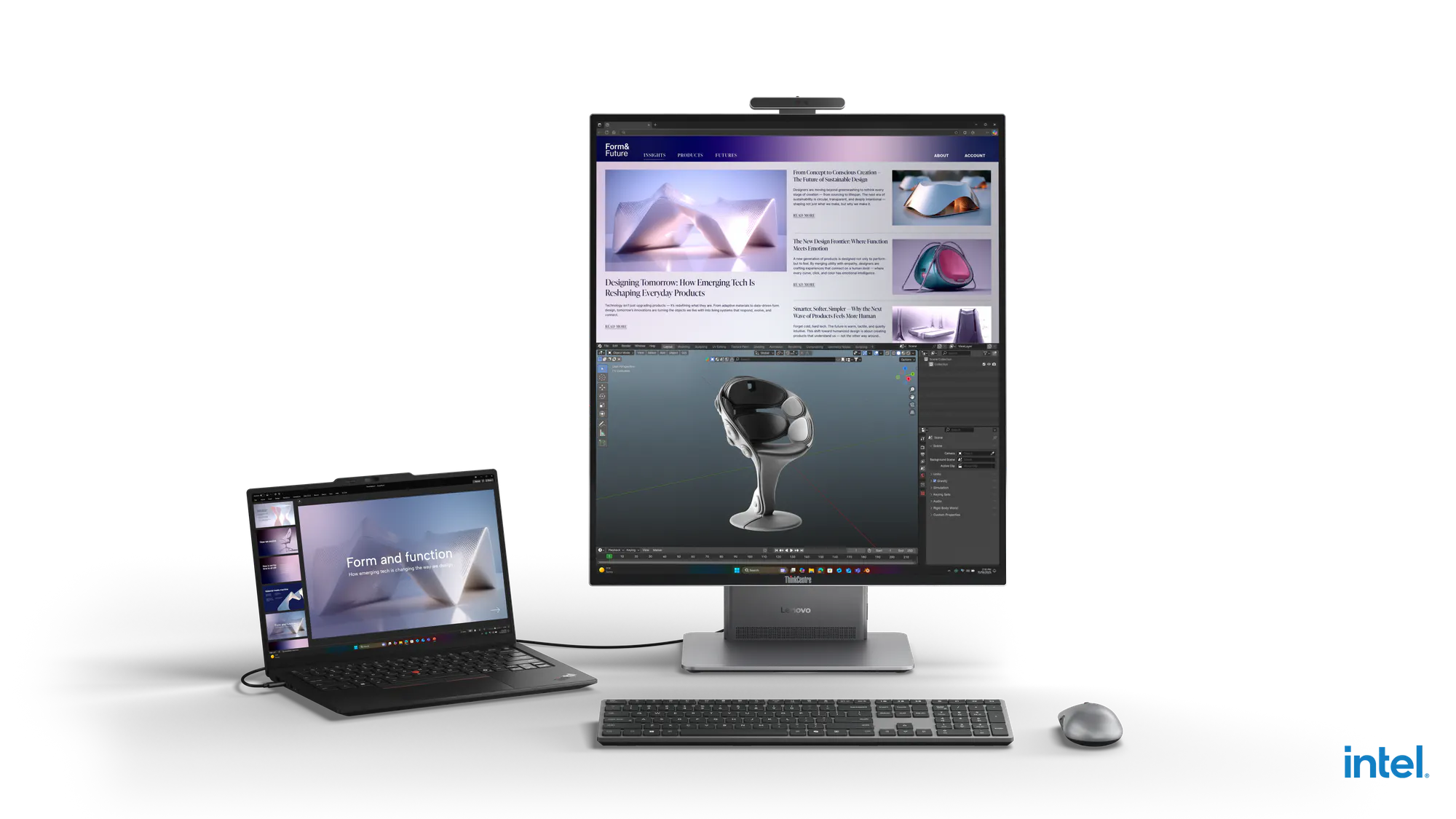
Step into the future of business computing with Lenovo ThinkCentre X AIO Aura Edition, where power meets intelligence. Designed to deliver a premium user experience for your organization and employees, this all-in-one redefines productivity. Equipped with up to Intel® Core™ Ultra X7 Series 3 Processor and integrated 12Xe Intel® Arc™ GPU, it brings AI-driven performance for next-level efficiency. Immerse yourself in an industry-first 27.6’’ QHD display with a 16:18 viewing ratio, crafted to transform how you work and create. Powered by the Lenovo AI Turbo Engine featuring DeskView¹ and Core Scheduling, and elevated by the Lenovo Aura Edition UX, this is innovation without compromise. Built with sustainability in mind and engineered for long-lasting durability, it’s a smarter choice for your business and the planet.
Feel free to share a photo. Once we get some common suggestions going, we'll start a poll to see the most popular. 😁
Congratulations to 9/22 winner - Azula 🎉
The Weekly Challenge is another exciting chance for you to earn more rewards, connect with other members and experience deeper insights. One participant in this challenge will randomly win $15 in My Lenovo Rewards every week. (So sorry, reward points only applicable to residents in North America but hope to expand the rewards portion of this challenge to Europe, Asia and more soon!)
I'm thinking of upgrading my iPad soon. I'm not sure if I should stick with Apple or try something different. Is the Tab or other tablet offerings comparable? I mainly use it as a mobile computer or do light gaming like playing Teamfight Tactics.
I'd love to have a Legion water bottle! (Especially since it would match my dark setup). Hopefully I'll get the chance to grab one someday. I just got one from Intel recently and the design is awesome, but it looks a bit out of place 😂
I'd always prefer separate screens to help ensure that I always know exactly where I need to look at any given time to see the data that I need to see.
I like 2 separate monitors personally just because it’s what I’m used to. I wouldn’t be against trying a single large, ultrawide monitor but a lot of them are curved and focused on gaming, which I find isn’t really necessary for the work I do. I’d love an ultra wide though for something like a sim racing setup 😁
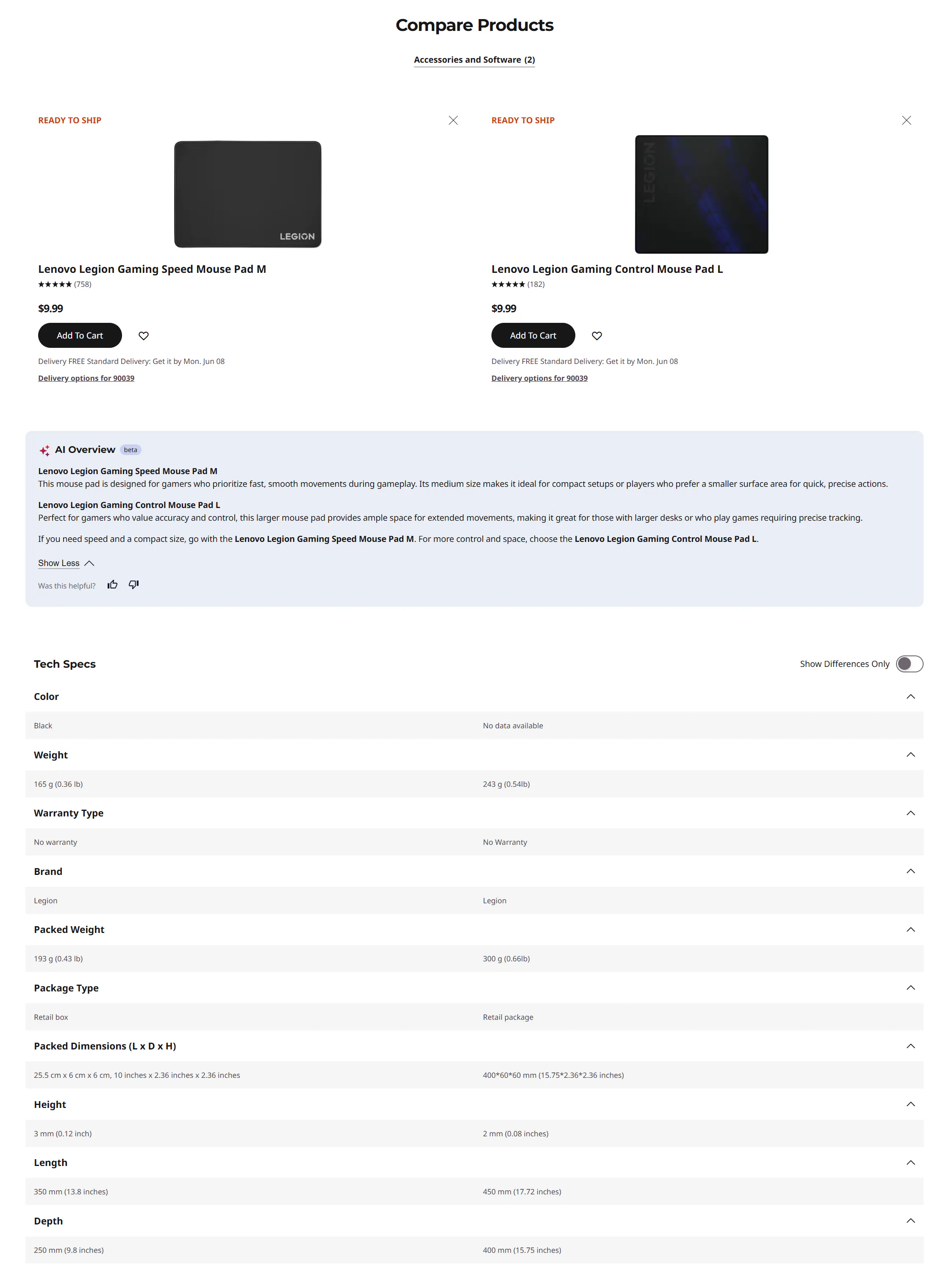
I've always used mouse pads... probably because I thought over extended use, the mouse feet / skids / skates would scuff the desk. The old ball mice had the skates too.